01 ROM Polybot
A desktop app for Polymarket US.
ROM Polybot watches Polymarket US, practices on $1,000 of play money, and never trades until you say go.
Free · Windows 10/11 and Apple Silicon Macs
Read moreShow less
Polybot connects with your Polymarket US API keys, scans the US markets and their large trades, and runs your strategy on a simulated $1,000 kept apart from your real money.
Live trading starts paused and only begins when you switch it on, inside the limits you set.
ROM Polybotv2.36.6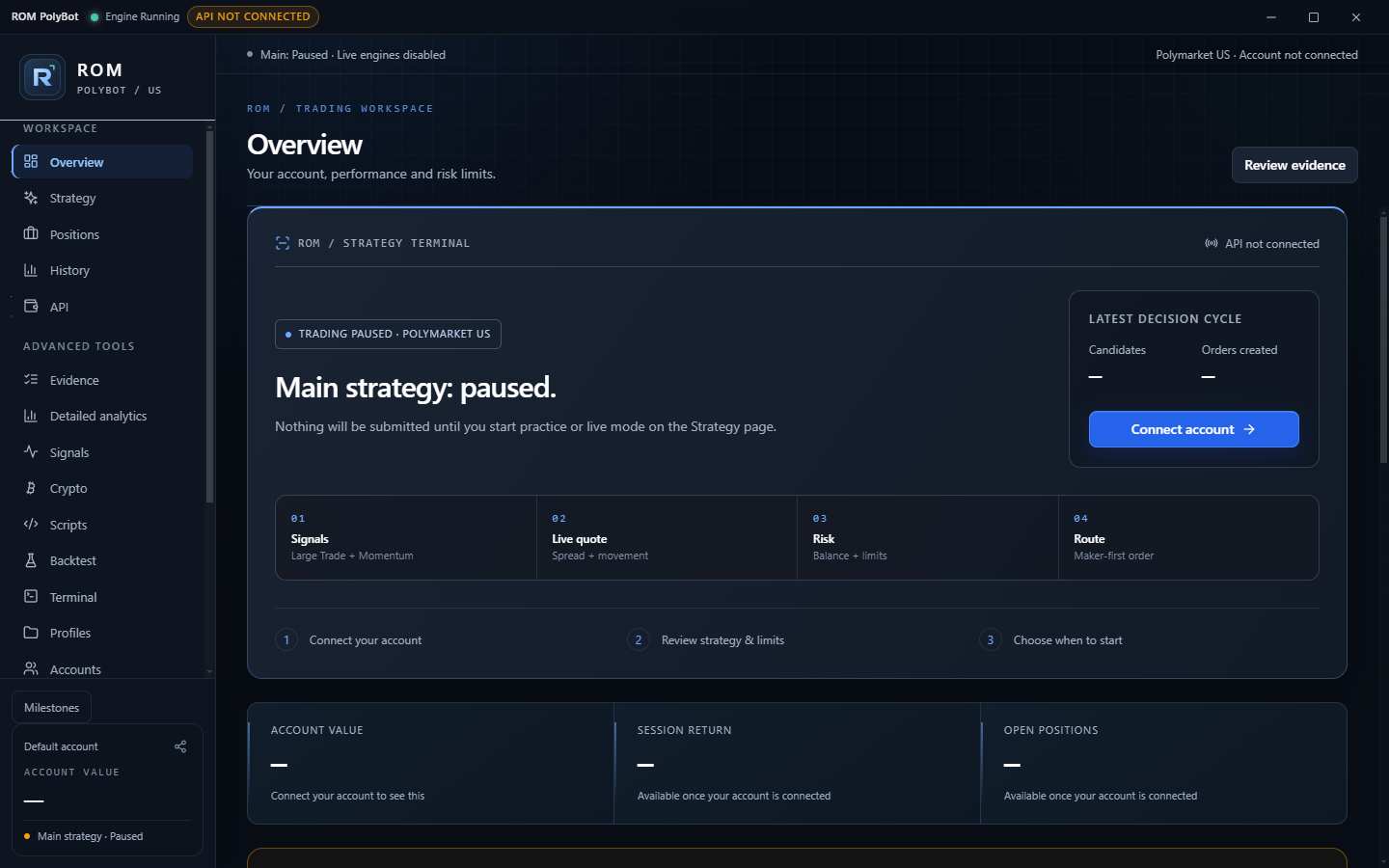
Made from real Polybot screens. Trading starts paused.
Full screen opens in a new tab.How Polybot works
Everything it checks before a trade, in one app.
Read moreShow less
Scan the US market
Watch Polymarket US markets, large trades and momentum from the authenticated US trade stream.
Practice on $1,000
Run your strategy on a simulated balance kept apart from your real account. Practice fills are estimates.
Limits you set
Cap each position, total exposure and daily loss, and hold cash back. While live, an emergency stop sits in the title bar.
A reason for every decision
Decision history shows why each candidate was skipped, practiced or sent, and what live trading still needs.
Live orders stay off until your account is connected, limits are saved, evidence qualifies and buying power is available.
Download
Polybot
Add your API keys, set your limits, and practice before you go live.
Trading involves risk. Returns are not guaranteed.
Installers are unsigned; the Mac build is not Apple-notarized.
Installation & verification
02 ROM Nova
Research Solana
wallet activity.
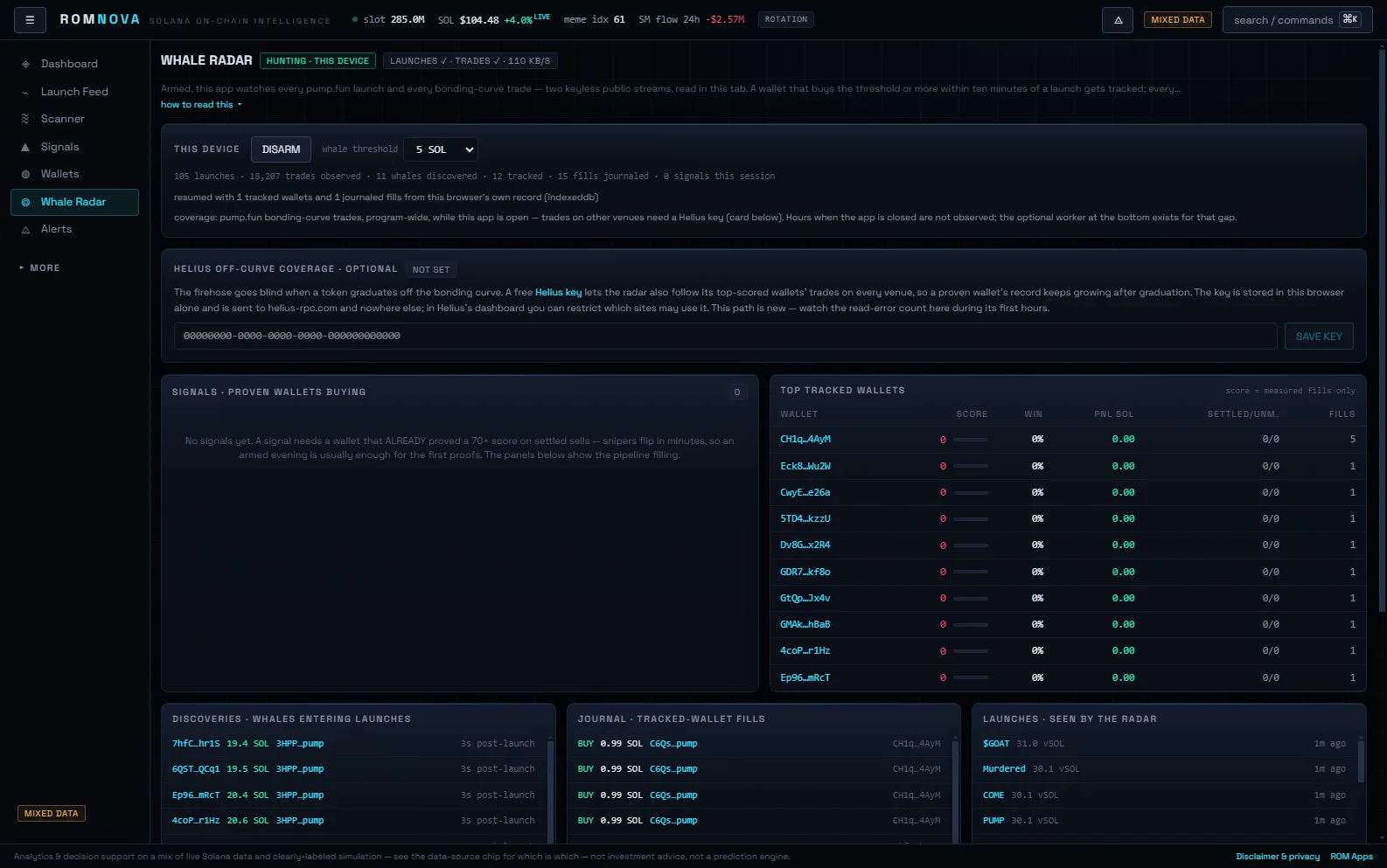
ROM Nova puts Solana's biggest wallets on one radar. Research only; it never trades.
Read moreShow less
Nova follows wallet and market activity across Solana, flags whales entering new launches and keeps a journal of the wallets you track. It runs in your browser or on Windows.
Some of its data is simulated, and the browser app needs sign-in.
03 ROM Recoil
Recoil control for Rainbow Six Siege.
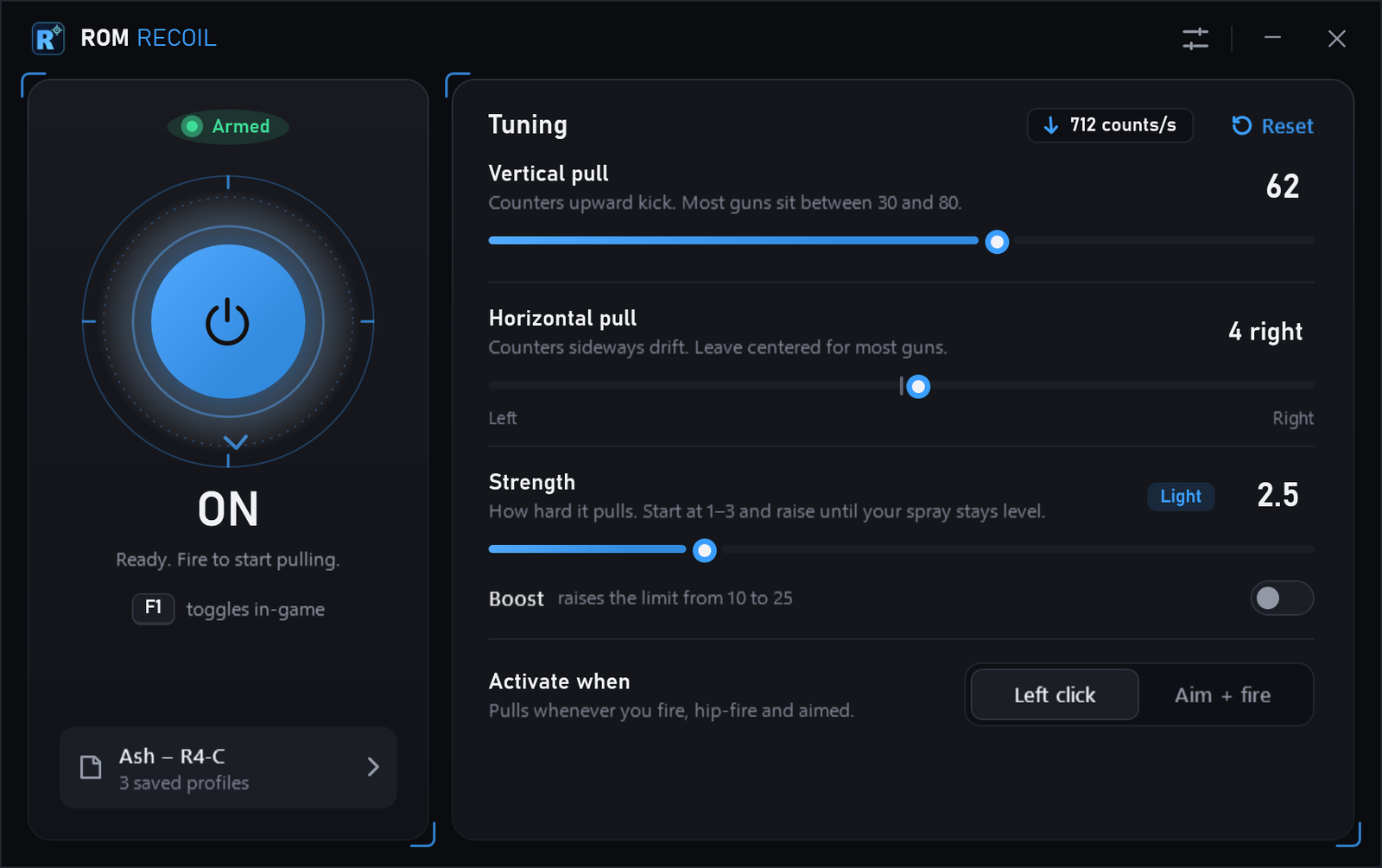
ROM Recoil holds your spray steady in Rainbow Six Siege. Set it once, toggle it with one key.
Read moreShow less
It moves your aim down while you hold fire, by the amount you set. Save a setting per operator, switch it on or off in-game with one key, and watch a live readout of the pull.
A 66.9 MB zip with no installer and no account. Macros can break a game's terms of service.
Questions
About Polybot, Nova and the downloads. ROM Recoil has its own questions.
What do I need for Polybot?
A Windows 10 or 11 PC (64-bit), or an Apple Silicon Mac running macOS 15 or later, plus a verified Polymarket US account and its API Key ID and Secret Key. Create API keys on Polymarket US . No separate Python install is needed. Wallet-address copy trading is not supported on Polymarket US.
Does Polybot guarantee a profit?
No. Signal scores are heuristics, not verified win probabilities. Practice uses simulated fills that can differ from exchange execution. Live authenticated trading and profitability remain unverified, and automated trading can lose money.
How does the ROMANR offer work?
New Polymarket US users can view the current offer with code ROMANR. Polymarket sets the amount, eligibility and qualifying steps. It may change or expire, and ROM may receive a referral reward.
How do updates work?
Polybot checks for new releases while it is open, downloads the matching installer in the background and verifies its SHA-256 checksum before offering it. Installing always waits for you, so an update never interrupts a running strategy. Every change is listed in the release notes.
Why might my computer warn about the download?
The installers are not yet code-signed. Use the published checksums and installation guide to verify the file before deciding whether to install it. A matching checksum confirms file integrity, not software safety.