03 ROM Recoil
Recoil control for Rainbow Six Siege.
ROM Recoil holds your spray steady in Rainbow Six Siege. Set it once, toggle it with one key.
Read moreShow less
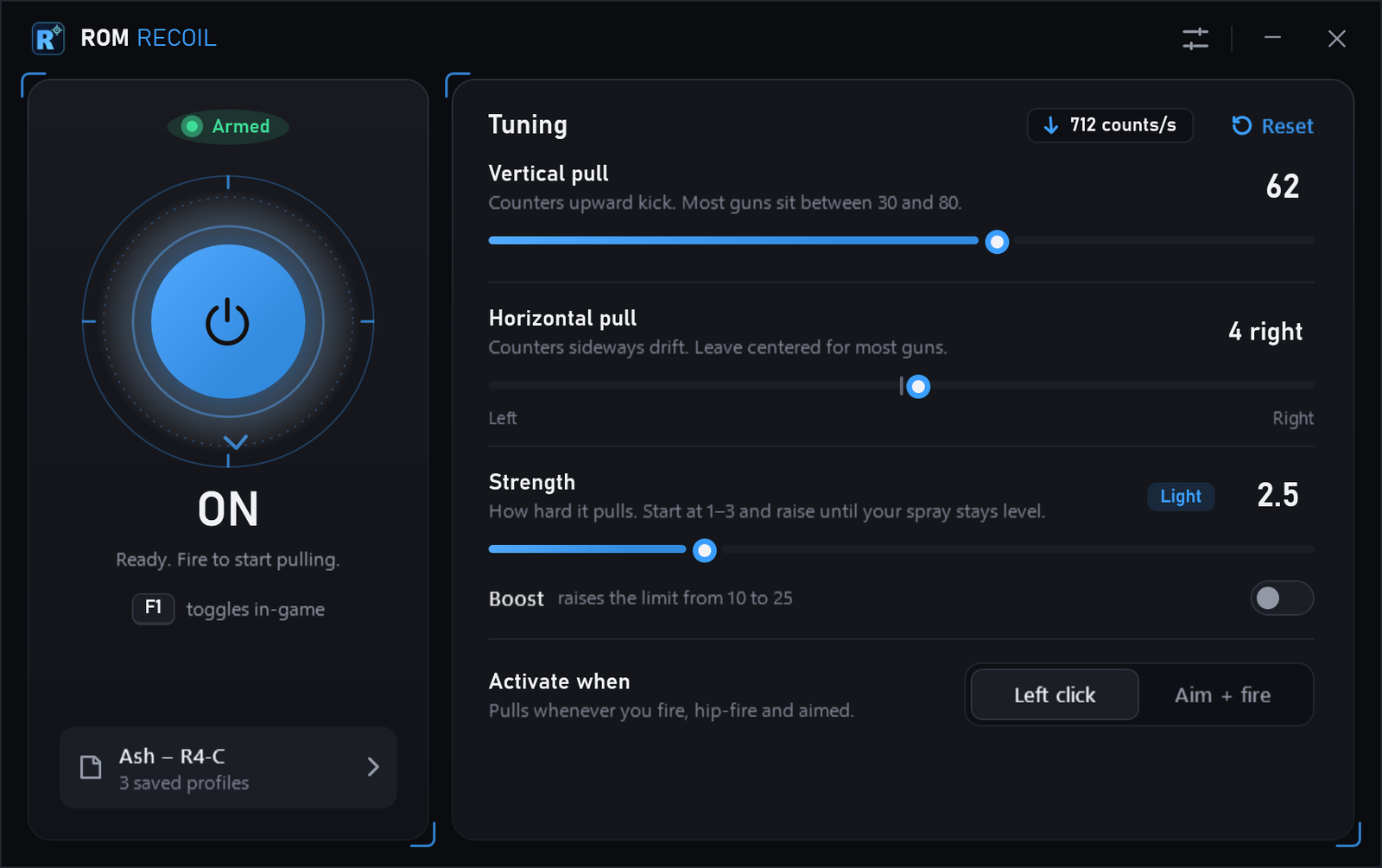
It moves your aim down while you hold fire, by the amount you set: vertical pull for the kick, horizontal pull for drift, strength for how hard. Save a setting per operator and switch it on or off in-game with one key.
Macros can break a game's terms of service. Use it at your own risk.
- Vertical pull
- 0–100
- Horizontal pull
- 100 left – 100 right
- Strength
- 0–10, or 25 with Boost
- Hotkey
- Any key or mouse 3–5
- Price
- Free, no account
How it works
Three sliders, a profile per operator, one hotkey.
Read moreShow less
Tune the pull
Vertical pull counters upward kick, horizontal pull counters drift, and strength sets how hard it pulls. A live readout shows how fast that is, and the reticle points the way it pulls.
Save per operator
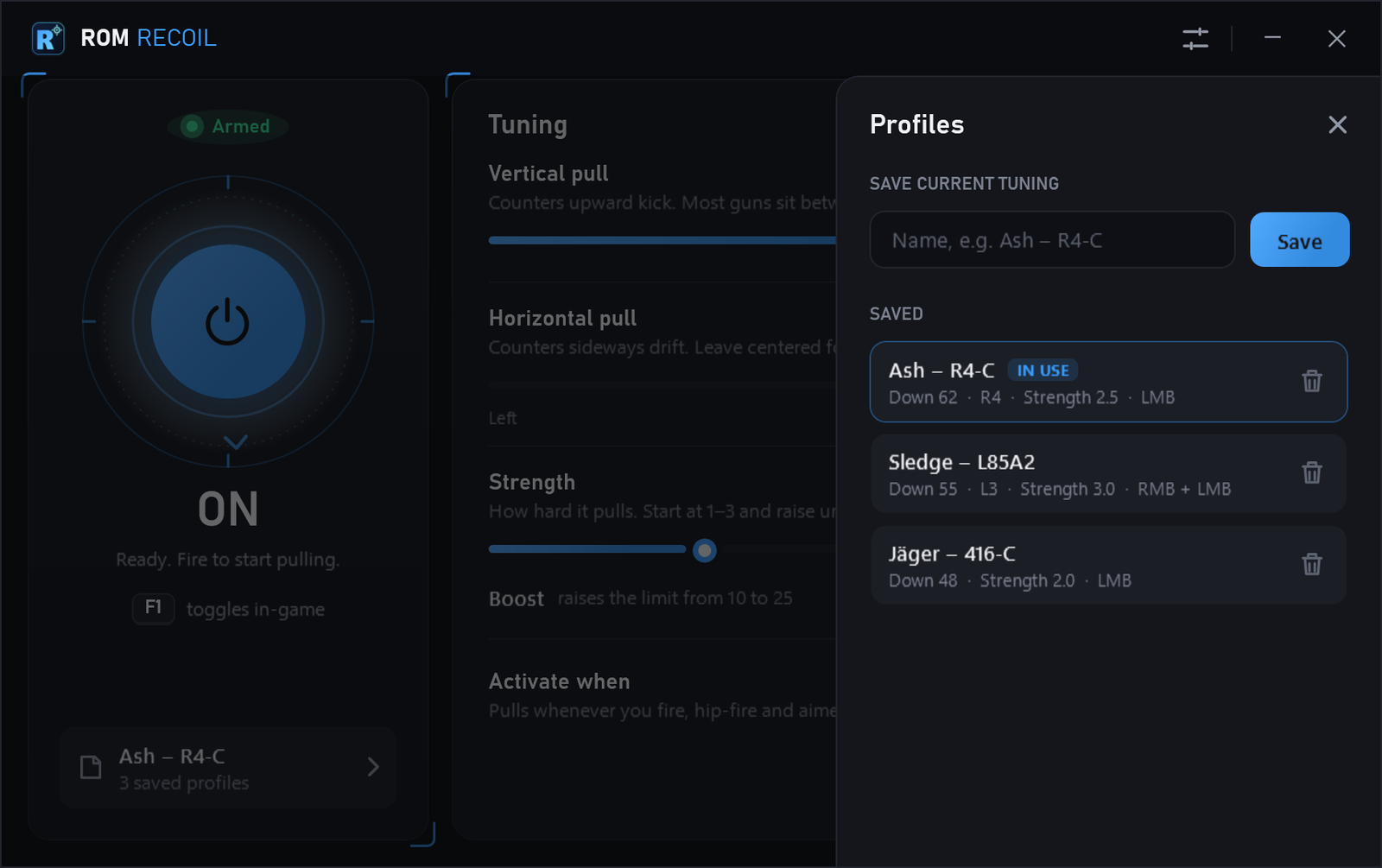
Keep a profile for each operator or gun and switch with a click. Reset or delete by mistake? Undo puts it back.
Toggle in-game
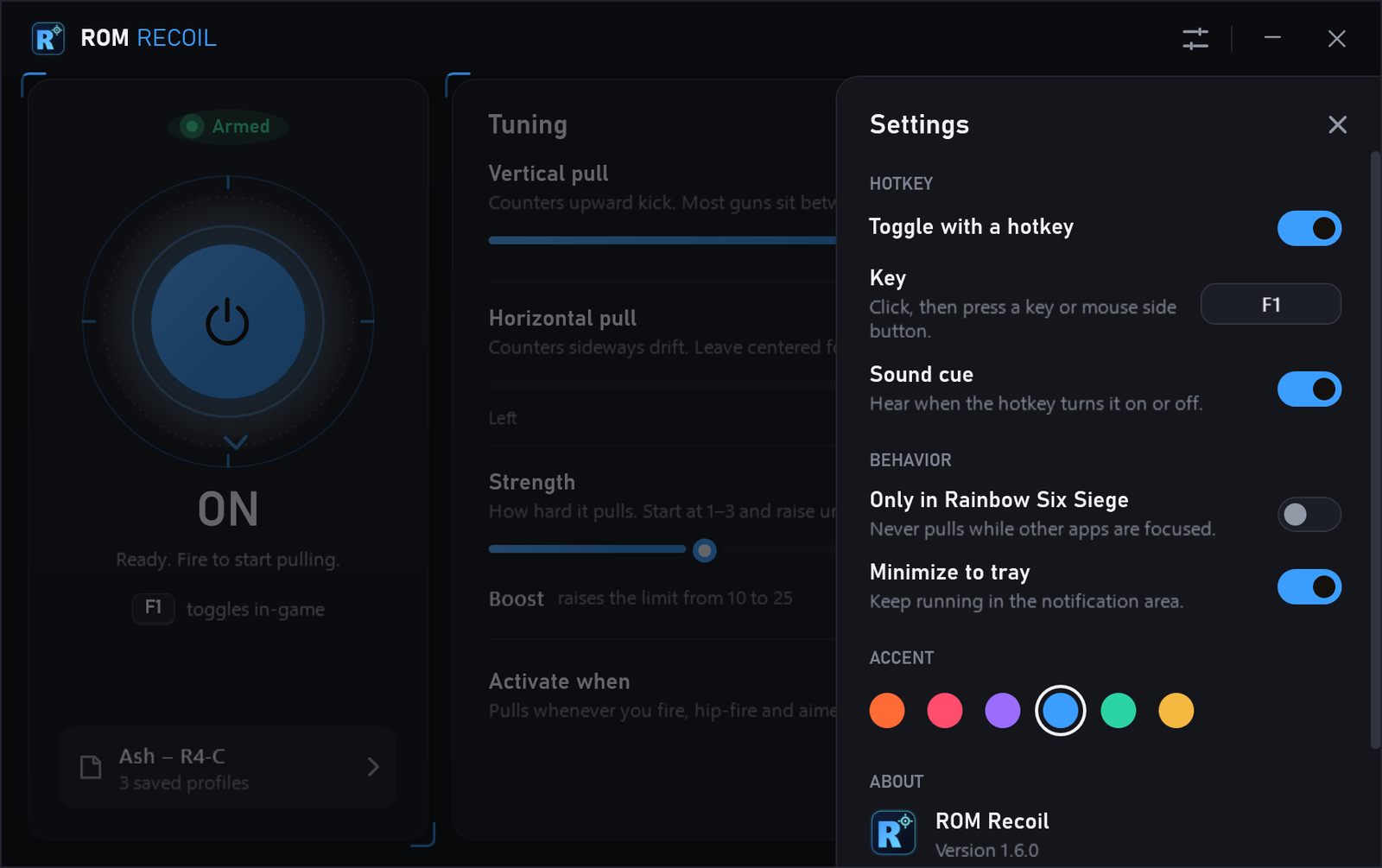
F1 by default, or any key or mouse 3–5, with an optional sound cue. Pull on every shot, or only while you aim and fire.
Know its state
The status reads Armed, Pulling, Standing by or Input blocked, so you can tell at a glance whether it's working.
It pulls in any window except its own. Settings → Only in Rainbow Six Siege limits it to the game.
Try a
tuning
These are the app's three controls. The readout shows how fast that tuning would move your mouse while you hold fire. Hold the scope to watch it pull.
Same math as the app: every 12 ms it moves the mouse (slider ÷ 10) × 0.55 × strength counts. How far that turns your view depends on your sensitivity.
≈ 710 counts/sdown, a little right
Profiles and
settings
Both slide in from the right, so the tuning stays on screen while you change them.
Download
ROM Recoil
No installer and no account. Your profiles and settings stay in %APPDATA%\RomRecoil, so they carry over to every new version.
Macros can break a game's terms of service. Use at your own risk.
- Download the zip and unzip it anywhere, such as your Desktop.
- Run
RomRecoil.exe. It opens with the pull switched on. - Tune the pull, then press F1 in-game to switch it on or off.
The app isn't code-signed, so Windows SmartScreen may warn before it opens. Check the checksum first: a match confirms the file is the one published here.
Verify the download
With the zip in your Downloads folder, this PowerShell command compares it with the published checksum:
$file = Join-Path ([Environment]::GetFolderPath('UserProfile')) 'Downloads\ROM-Recoil-1.6.0-win-x64.zip'
$expected = (Invoke-RestMethod 'https://romapps.xyz/assets/SHA256SUMS-Recoil-1.6.0.txt').Trim().Split(' ')[0]
$actual = (Get-FileHash -LiteralPath $file -Algorithm SHA256).Hash
if ($actual -eq $expected) { 'MATCH' } else { 'DOES NOT MATCH — do not open this file' }Questions
About ROM Recoil, its settings and the download.
Is ROM Recoil free?
Yes. Download the zip, unzip it and run RomRecoil.exe on a Windows 10 or 11 PC (64-bit). There's no account, key or installer.
Which games does it work in?
It's built for Rainbow Six Siege. It pulls whenever you fire, in any window except its own; turn on Settings → Only in Rainbow Six Siege to limit it to the game.
What do the settings mean?
Vertical pull (0–100) counters upward kick and horizontal pull counters sideways drift. Strength multiplies both; Boost raises its limit from 10 to 25. Activate when picks left click (every shot) or aim + fire (only while you hold right click). The readout at the top of Tuning shows the result in mouse counts per second.
How do I update?
ROM Recoil checks romapps.xyz when it opens, and every few hours while it runs, and shows an Update button in its title bar when a newer version is out. Download the new zip, close ROM Recoil, and run the new RomRecoil.exe. Your profiles and settings carry over.
Why does the status say “Input blocked”?
Windows refused the mouse movement, so nothing would happen. This usually means another program, such as a different game's anti-cheat, is blocking input. It clears once the movement goes through again.
Where are my profiles saved?
In %APPDATA%\RomRecoil: settings.json and one .ini file per profile in configs. Settings → Data folder opens it. To remove ROM Recoil, exit it from the tray, then delete RomRecoil.exe and that folder.
Can ROM Recoil get me banned?
It can. Ubisoft's terms don't allow third-party tools that give an advantage, and any macro can be detected. ROM does not claim it is undetectable; use it at your own risk.
Why might Windows warn about the download?
The app isn't code-signed yet. Use the published checksum and the verification steps to check the file before you open it. A matching checksum confirms file integrity, not software safety.